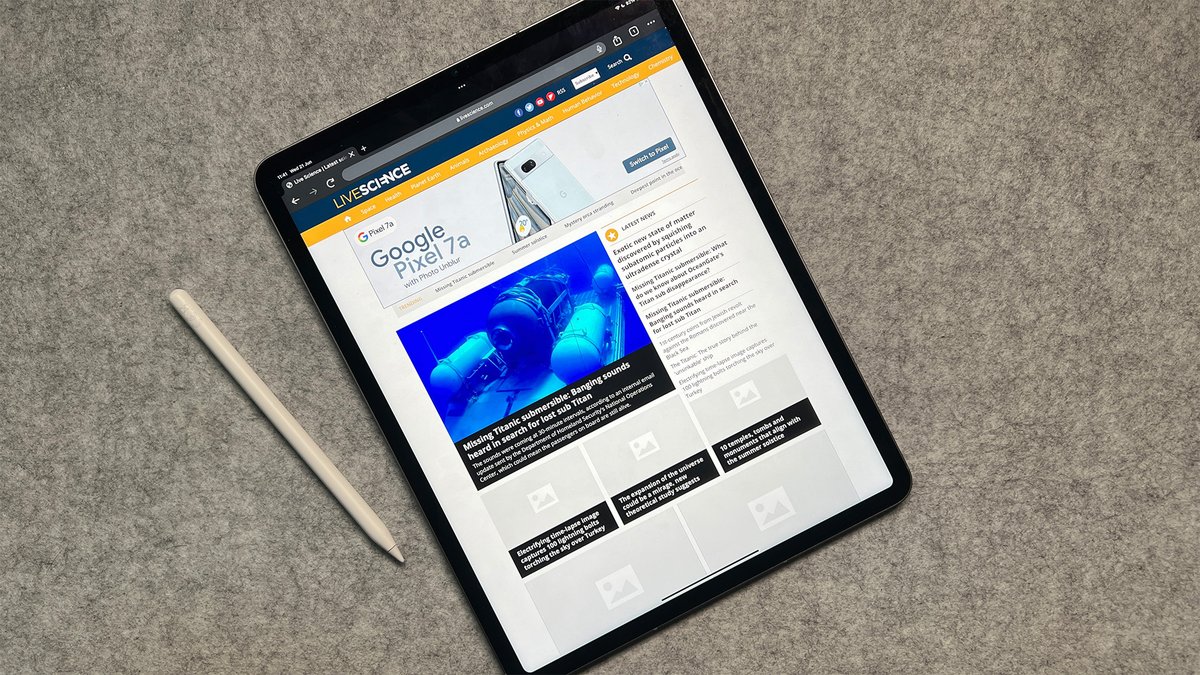
The iPad Pro 12.9 (4th Gen) isn't just a large tablet; it’s a productivity powerhouse, capable of transforming into a versatile workstation for a myriad of use cases. Whether you're a creative professional, a busy student, a road warrior, or a business executive, this device, especially when paired with the right accessories and apps, offers a unique blend of portability, performance, and intuitive interaction that redefines what a mobile computer can be. It’s about leveraging its unique strengths to enhance your workflow, not just replicate a traditional laptop.
At a Glance: Your Portable Powerhouse in Focus
- A True Workstation: The 4th Gen iPad Pro 12.9-inch (with the A12Z Bionic chip) handles demanding tasks like video editing, graphic design, and advanced multitasking with ease.
- Unmatched Portability: Despite its large screen, it's lightweight and thin, making it ideal for on-the-go productivity.
- All-Day Battery: Expect exceptional battery life, often lasting an entire workday, with features like Low Power Mode to extend it further.
- Input Versatility: Combines precise touch interaction, Apple Pencil for creative and note-taking tasks, and robust accessory support for keyboard/mouse input.
- Seamless Ecosystem: Integrates effortlessly with other Apple devices for a cohesive multi-device workflow (e.g., Sidecar, Universal Clipboard).
- Multitasking Mastery: iPadOS features like Split View, Slide Over, and customizable widgets allow you to juggle multiple apps and tasks efficiently.
- Essential Accessories: The Magic Keyboard, Apple Pencil, and a quality wireless mouse are game-changers for unlocking its full potential.
Beyond a Tablet: What Makes the 4th Gen iPad Pro a True Workstation?
The "Pro" in iPad Pro isn't just marketing—it signifies a commitment to professional-grade performance and features designed to elevate your work. The 4th generation 12.9-inch model, released in early 2020, stands out with its powerful A12Z Bionic chip, stunning Liquid Retina display, and groundbreaking LiDAR Scanner, all of which contribute to its status as a robust productivity tool.
The 12.9-inch Advantage: Screen Real Estate for Serious Work
When you're tackling complex spreadsheets, editing high-resolution photos, or working on a multi-track video project, screen real estate matters. The 12.9-inch display on the 4th Gen iPad Pro offers an expansive canvas that makes split-screen multitasking genuinely useful. You can comfortably view two full-sized apps side-by-side, such as a Safari research window next to Apple Notes, or LumaFusion alongside your Mail app, without feeling cramped. This large display minimizes scrolling and allows you to keep more information in view simultaneously, crucial for deep work.
Unmatched Portability & All-Day Endurance
One of the iPad Pro’s most compelling benefits is its ability to deliver desktop-class performance in an incredibly lightweight and compact form factor. Slip it into almost any bag, and you have a powerful computer ready for anything. This isn't just about weight; it's about freedom. You can work comfortably on a plane, in a coffee shop, or from a couch without feeling tethered to a power outlet. Its exceptional battery life ensures you can often go an entire workday, sometimes longer, without needing a recharge, a critical feature for anyone with a demanding schedule. For those moments when you're running low, Low Power Mode can significantly extend its usability.
Staying Connected, Anywhere: The Power of Cellular
For many, productivity doesn't stop at the office or home Wi-Fi. The option of cellular connectivity (eSIM support) transforms the iPad Pro into a truly untethered workstation. Imagine reviewing documents, attending video calls, or uploading large files securely from a park bench, a client's office, or during your commute—without fumbling for a Wi-Fi hotspot or relying on unsecured public networks. This secure, high-speed internet access is invaluable for remote workers, travelers, and anyone who needs reliable connectivity on the go.
Precision at Your Fingertips: Touch, Pencil, and Gestures
The iPad Pro’s intuitive touchscreen is its foundation, allowing for direct interaction with content. Multitouch gestures make navigating apps, switching between tasks, and zooming in on details feel natural and fluid. But it's the seamless integration with the Apple Pencil (2nd Generation for this model) that truly unlocks a new dimension of productivity. Whether you’re sketching design concepts, annotating PDFs, signing documents, or taking handwritten notes in apps like Apple Notes, the Pencil offers unparalleled precision, low latency, and pressure sensitivity. It replicates the natural feel of pen on paper, making digital note-taking not just practical, but enjoyable.
Seamless Flow with the Apple Ecosystem
If you're already invested in Apple's ecosystem, the iPad Pro extends and enhances your existing workflow. Features like Universal Clipboard allow you to copy text, images, or files on your iPhone or MacBook and paste them instantly onto your iPad Pro, and vice-versa. Sidecar is another game-changer, turning your iPad Pro into a secondary monitor for your MacBook, ideal for extending your desktop space for reference material, palettes, or communication apps while keeping your primary screen focused on your main task. This kind of integration means your devices work together harmoniously, creating a cohesive multi-device workflow that saves time and reduces friction. For more insights on maximizing this synergy, check out our guide on mastering multitasking on iPadOS.
Mastering Your Workflow: Multitasking and Customization
iPadOS has evolved significantly, turning the iPad into a true multitasking machine.
- Split View allows you to run two apps side-by-side, perfect for cross-referencing information or dragging and dropping content between apps.
- Slide Over lets you keep a third, smaller app hovering over your main workspace, great for quick access to messaging apps, calculators, or reference notes.
- Widgets on your Home Screen and Today View provide glanceable information from your favorite apps, while Shortcuts automate repetitive tasks, turning multi-step processes into a single tap or voice command.
- Focus Modes allow you to tailor notifications and app access to specific activities (e.g., "Work" mode, "Reading" mode), minimizing distractions and helping you maintain concentration on the task at hand.
Essential Gear: Elevating Your iPad Pro Productivity
While powerful on its own, the 4th Gen iPad Pro truly shines when paired with the right accessories. These aren't just add-ons; they're extensions of the device, transforming it into a versatile workstation for any task. For a deeper dive into compatible accessories, explore our article on essential iPad Pro accessories.
The Game-Changer: Magic Keyboard
For many, the Magic Keyboard is the single most important accessory, turning the iPad Pro into a legitimate laptop alternative. It offers a comfortable, backlit keyboard with a scissor mechanism, identical to Apple's MacBooks, making long typing sessions a breeze. The integrated trackpad supports multi-touch gestures, providing a precise cursor experience that dramatically enhances navigation and productivity, especially in text-heavy applications or when working with small interface elements. Its floating cantilever design allows for smooth, adjustable viewing angles, ensuring ergonomic comfort whether you're at a desk or on your lap.
Unleash Creativity & Precision: Apple Pencil
The Apple Pencil (2nd Gen, which magnetically attaches and charges to the 4th Gen iPad Pro) is indispensable for anyone who sketches, draws, takes handwritten notes, or annotates documents. Its near-zero latency and pixel-perfect precision make it feel incredibly natural, allowing for everything from detailed illustrations to quick mental mapping during brainstorming sessions. For those seeking alternatives, the ESR Digital Pencil offers a budget-friendly option with wide compatibility. Learn more about choosing the right stylus in our guide to Apple Pencil alternatives.
Ergonomics and Versatility: Stands and Mounts
Working for extended periods requires proper ergonomics. A good stand or mount elevates your iPad Pro to a comfortable viewing height, reducing neck strain. From simple, inexpensive folding stands for portability to magnetic stands designed specifically for the iPad Pro/Air, or even monitor arms for a true desktop setup, there's an option for every workflow. They enable hands-free use for video calls, recipe following, or simply watching content while you work on something else.
The Laptop-Tablet Hybrid: Keyboard Cases
If the Magic Keyboard is beyond your budget or you prefer a more robust protective solution, a keyboard case is an excellent compromise. These cases typically offer a stable base, a built-in stand, and a physical keyboard, allowing for comfortable lap typing and protection for your device. Models like the ESR keyboard case often feature a detachable design, backlit keys, and multiple viewing angles, providing great flexibility without breaking the bank.
Navigating with Finesse: Wireless Mice
Pairing a wireless mouse with your iPad Pro, even with the Magic Keyboard's trackpad, can further enhance productivity. For tasks requiring meticulous selection, dragging, or precise cursor control, a dedicated mouse can feel more natural and efficient for many users. The Logitech M720 is a fantastic recommendation, offering affordability, comfort, customizable buttons, and exceptional battery life, making your tablet function even more like a traditional laptop.
Serious Typing Comfort: Standalone Keyboards
For those who prioritize ergonomic comfort or need a keyboard that can serve multiple devices, a standalone wireless keyboard is a superior choice over integrated case options. These keyboards often offer better key travel and spacing. The Logitech K380s, for instance, is highly recommended for its excellent balance of comfort, features, and price. Its ability to pair with up to three devices and switch between them seamlessly, combined with long battery life and portability, makes it ideal for a multi-device setup.
Crystal Clear Focus: Quality Headphones
In any work environment, especially open offices, public spaces, or while traveling, a good pair of headphones is essential. They help you concentrate, provide clear audio for calls, and offer privacy. Look for comfort, long battery life, clear sound, noise cancellation, and Bluetooth connectivity. The JBL Tour One M2 stands out for its customizable sound, impressive noise cancellation, and stellar call clarity, making it an excellent companion for productive work on your iPad Pro.
On-the-Go Essentials: Tablet Bags, Chargers, and Cables
To truly leverage the portability of your iPad Pro, you need the right transport and power solutions. A comfortable, lightweight tablet bag or backpack with multiple pockets (like the Vitesse Cycling Musette) keeps your electronics organized and protected. For charging, ensure you have USB Power Delivery (USB-PD) compatible chargers and high-quality USB-C to USB-C or USB-C to Lightning cables (for older iPhones/accessories). These enable fast-charging for your iPad Pro and can connect to other USB-C devices like MacBooks, ensuring you're always powered up and connected.
Real-World Use Cases: How the 12.9-inch iPad Pro Excels
The iPad Pro 12.9 (4th Gen) is a chameleon, adapting to a vast array of professional and personal needs. Its combination of power, portability, and unique input methods makes it suitable for tasks traditionally reserved for laptops or even desktops.
For the Creative Professional
- Graphic Design & Illustration: The large display and Apple Pencil (2nd Gen) are a dream team for apps like Procreate, Affinity Designer, and Adobe Fresco. Artists can sketch, paint, and create detailed illustrations with unparalleled precision. The LiDAR scanner can also be used for creating 3D models of real-world objects, useful for texture mapping or architectural visualization.
- Video Editing: With powerful apps like LumaFusion, the iPad Pro can handle multi-track 4K video editing on the go. Its A12Z Bionic chip ensures smooth playback and rendering, making it a viable mobile editing suite for YouTubers, filmmakers, and content creators.
- Photography Workflow: Import RAW files directly, edit them in apps like Lightroom Mobile or Affinity Photo, and then export or share. The Liquid Retina display provides accurate color representation, critical for professional photo work.
The Dynamic Student & Researcher
- Advanced Note-Taking: Ditch the notebooks. Apps like Apple Notes, Notability, and GoodNotes, combined with the Apple Pencil, allow for handwritten notes, diagramming, PDF annotation, and even audio recording alongside your notes. For more structured knowledge management, Obsidian offers advanced note-taking with graph views and daily notes, ideal for connecting complex ideas.
- Research Hub: Use Split View to browse academic papers in Safari while taking notes in another app. The Books app is perfect for reading textbooks and academic articles, with easy highlighting and annotation. For AI-powered research and quick answers, Perplexity can be a game-changer.
- Project & Assignment Management: Apps like Notion help students organize projects, assignments, group work, and personal schedules, keeping everything on track.
The Agile Business Pro
- Remote Workstation: With cellular connectivity and productivity apps, the iPad Pro becomes a complete mobile office. Participate in video conferences, access remote files, and manage your email from anywhere. Apps like Jump allow you to securely access your Mac remotely, essentially turning your iPad into a portable terminal for your desktop machine.
- Presentations & Meetings: Connect to projectors or external displays for impactful presentations. Use the Apple Pencil to annotate slides in real-time during discussions, making meetings more interactive and productive.
- Project Management & Collaboration: Notion and Things 3 (a GTD system to-do list app) are excellent for managing personal tasks, team projects, and collaborating with colleagues, ensuring nothing falls through the cracks.
- Sales & Client Engagement: Showcase portfolios, customize proposals, and capture signatures on the spot, enhancing client interactions.
The Digital Nomad & Traveler
- Ultra-Portable Office: Its light weight and long battery life make it the ultimate travel companion for getting work done between flights, in hotel rooms, or remote locations.
- Entertainment Hub: When work is done, it easily transitions into an entertainment device for movies, books, and games on its stunning display.
- Connectivity on the Go: Cellular connectivity ensures you’re always online for essential communications and emergencies, reducing reliance on spotty hotel Wi-Fi.
The Educator & Presenter
- Interactive Lessons: Use the Apple Pencil to illustrate concepts, mark up documents, or guide students through exercises directly on the screen, mirroring to a larger display.
- Digital Whiteboard: Turn the iPad Pro into a dynamic whiteboard for brainstorming sessions or interactive teaching, with the ability to save and share content instantly.
- Feedback & Grading: Annotate student submissions digitally, providing clear, legible feedback without printing.
Apps That Supercharge Your Workflow
The App Store is a goldmine of tools designed to maximize your iPad Pro's potential. Leveraging the right applications is key to transforming your device into a true productivity hub.
- Note-Taking & Organization:
- Apple Notes: Best for quick handwritten notes, sketches, and diagrams with the Apple Pencil. It syncs seamlessly across all your Apple devices.
- Obsidian: For serious knowledge managers, Obsidian offers advanced note-taking capabilities, linking ideas, and creating a personal knowledge graph.
- Things 3: A highly acclaimed GTD (Getting Things Done) system that helps you organize tasks, projects, and deadlines with intuitive gestures and a clean interface.
- Notion: A versatile workspace for project management, collaboration, databases, and general organization. It's powerful enough for teams and flexible enough for personal use.
- AI & Research:
- Apollo: A cutting-edge app that runs local AI models offline, useful for privacy-conscious users or those needing AI assistance without an internet connection.
- Perplexity: An AI-powered research and search engine that provides concise, sourced answers to complex questions, streamlining your information gathering.
- Remote Access & Collaboration:
- Jump: Provides secure and robust remote access to your Mac, allowing you to use your desktop applications and files as if you were sitting right in front of them.
- Notion: (mentioned again for its collaboration features) Facilitates team communication, shared documents, and project tracking.
- Focus & Well-being:
- Burnout Buddy & Untra: Apps designed to enhance focus, block distractions, and help manage screen time or digital well-being, crucial for sustained productivity.
- Books App: Not just for leisure, it's ideal for reading long-form content, textbooks, and audiobooks, providing a distraction-free environment for learning and research.
Maximizing Your iPad Pro: Tips for Peak Productivity
Getting the most out of your iPad Pro isn't just about having the right hardware and software; it's about optimizing your workflow and environment.
Optimize Your Home Screen: Widgets and Shortcuts
Personalize your Home Screen with widgets that display actionable information at a glance—weather, calendar, to-do lists, or news headlines. Use the Shortcuts app to create custom automations. For instance, a "Work Mode" shortcut could automatically open your core productivity apps in Split View, turn on a specific Focus Mode, and activate Low Power Mode. This reduces setup time and streamlines your entry into focused work.
Embrace Multitasking: Split View & Slide Over Strategies
Practice using Split View and Slide Over until they become second nature. Think about which apps you frequently use together. For example, use Safari in Split View with your preferred note-taking app for research, or your email client with your calendar. Slide Over is perfect for keeping a chat app like Messages or Slack readily accessible without disrupting your main workflow.
Minimize Distractions: Focus Modes and Notifications
The most powerful productivity tool is often silence. Configure Focus Modes to silence notifications from non-essential apps during work hours. Be ruthless about which apps are allowed to send notifications at all. Turning off badges for apps you don’t need immediate alerts from can also reduce cognitive load. This deliberate choice minimizes interruptions and helps you sustain deep work.
The Power of External Displays: Sidecar and Monitor Arms
Don't underestimate the power of an external display. With Sidecar, your iPad Pro can become a second screen for your MacBook, extending your digital workspace. For a more permanent setup, a monitor arm can position your iPad Pro alongside a traditional monitor, giving you a powerful dual-screen workstation ideal for creative work or data analysis.
Battery Management: Low Power Mode and Smart Charging
While the iPad Pro boasts excellent battery life, smart management can extend it further. Enable Low Power Mode when you don't need peak performance, as it significantly reduces background activity and visual effects. When charging, use a USB Power Delivery (USB-PD) charger for fast-charging, ensuring you're quickly ready to go. Avoid leaving your device plugged in at 100% for extended periods, as this can degrade battery health over time.
Making the Right Choice: Is the 4th Gen iPad Pro 12.9 for You?
The 4th Gen iPad Pro 12.9-inch remains a highly capable device, even with newer models available. Its powerful A12Z Bionic chip still handles demanding tasks with aplomb, and its compatibility with the Magic Keyboard and Apple Pencil 2 makes it a fantastic productivity machine.
Considering Newer Models vs. Value
While newer iPad Pro models offer incremental improvements (like the M-series chips and more advanced displays), the 4th Gen provides exceptional value. For many users, the performance difference isn't noticeable in everyday productivity tasks, and the cost savings can be significant, allowing you to invest in essential accessories.
Refurbished Options: Smart Savings
If budget is a concern, consider purchasing a refurbished 4th Gen iPad Pro from Apple or a reputable reseller. Refurbished iPads often come with a warranty and have undergone rigorous testing, offering a great way to access premium hardware at a lower price point. Older iPads in general can handle many productivity tasks on a budget, making them a smart choice if your needs aren't cutting-edge. For tips on navigating the refurbished market, check out our guide to buying refurbished iPads.
The iPad Air Alternative
The iPad Air, particularly the 4th or 5th generation, also offers excellent performance and Magic Keyboard/Apple Pencil (2nd Gen) compatibility. If the 12.9-inch screen size feels too large or you want a slightly more budget-friendly option without sacrificing too much power, the Air could be a compelling alternative for many productivity use cases.
Your Next Steps: Transforming Your Workflow
The iPad Pro 12.9 (4th Gen) is more than just a tablet; it's a versatile platform waiting for you to unlock its full potential as a productivity workstation. Start by identifying your primary use cases, then strategically invest in the accessories and apps that will best support those tasks.
Take a moment to configure your device to minimize distractions by disabling non-essential app notifications and leveraging Focus Modes. Experiment with Split View and Slide Over to find the multitasking combinations that boost your efficiency. Whether you're sketching, writing, editing, or managing projects, your 4th Gen iPad Pro is ready to adapt and empower you. Embrace its unique blend of portability, power, and intuitive interaction, and watch your productivity soar. For a comprehensive overview of this remarkable device, visit our iPad Pro 12.9 4th gen cchip article.